MaxPrint, Anchor Software’s industry-leading document preparation program provides easy design, proofing, set-up, and control of high speed, state-of-the-art printers with little or no specialized training. MaxPrint uses an intuitive interface that makes designing complex transactional documents easy, even for inexperienced users. This allows you to print intricate and personalized letters to IPDS, AFP, Post-script, Metacode, PCL5 printers, or any Windows Driver, such as fax and PDF.
MaxPrint transforms your document preparation process by providing intuitive tools for creating, editing, and managing documents. Whether you’re drafting reports, proposals, or newsletters, MaxPrint ensures every document is meticulously formatted and ready for distribution. Its user-friendly interface simplifies complex tasks, saving you time and reducing errors.

Manual print processes are risky, slow, and expensive. When people have to sort data by hand, adjust formats manually, or supervise each print batch, problems pile up fast:
People make simple mistakes, like dropping a record or misplacing an address. Even a small slip can mean sending the wrong bill or missing a customer's statement.
When the workflow depends on individuals reviewing and transferring files, every handoff or manual check slows things down. That means late bills, missed notices, and unhappy customers.
Mailing-heavy industries must follow adhere to precise standards, like USPS requirements for formatting and barcoding. Manual work makes it easy to miss a step and risk fines or delivery failures.
Overprints, spoiled batches, misfeeds, and reruns waste paper, ink, and money. In high-volume printing, these costs add up fast.
Data arrives from dozens of software systems—billing, CRM, operations. Without a smart automation solution, it’s tough to keep everything organized and flowing smoothly.
The reality: organizations need mailing document automation not just to stay efficient, but to remain competitive. Print mistakes don’t just look unprofessional—they can cost thousands, harm customer trust, and break regulatory rules.
MaxPrint from Anchor Software is an advanced print management solution built for organizations that demand fast, reliable, automated mailing workflows. Think of it as the “central brain” that takes in all your outgoing documents—statements, letters, bills, compliance forms—and gets them ready for print and mail in record time, with unmatched consistency.
Whether printing 10,000 electric bills a night, 100,000 personalized statements a month, or producing massive marketing mailers, MaxPrint delivers reliable, efficient automation at scale.
MaxPrint is more than basic software. It’s a powerful document processing engine that can:
Here’s what sets MaxPrint apart as top-tier print automation software:
MaxPrint processes and formats documents for ease of printing. It allows customers to set up variables and take the input data and arranges each document to look professional and meet mailing standards. Wwhether you’re printing single letters or huge banking statements. No more waiting for jobs to finish or wrestling with slow, outdated systems.
Every business is different, and printing needs change fast. MaxPrint allows you to set up customizable layouts —so you can change content, personalize and format each letter to your specific needs. MaxPrint makes it easy to create letters, statements, graphics, and even barcodes.
Stay compliant and save on postage. MaxPrint works directly with other USPS-compliant Anchor Software products, making it simple to meet postal requirements for barcodes, addresses, and print layout. MaxPrint paired with MaxPresort OS can help you take advantage of discount rates and provide accurate delivery every time.
Automation means fewer manual steps and less room for mistakes. With MaxPrint, each document is checked, tracked, and prepped the right way—from data intake to output—saving you on reprints and spoiled stock.
No matter how many systems you use, MaxPrint can take input from multiple sources, and create optimized print streams for any printer or job type. This centralizes all your mailing document automation in one reliable tool.
Using MaxPrint is simple. Here’s the typical workflow:
MaxPrint connects to your input data file.
Incoming records are, sorted, and grouped based on your needs—like splitting financial notices from general communications, or organizing by location.
Each document is formatted using your templates and guidelines. MaxPrint standardizes fonts, designs, addresses, and barcodes to ensure consistency.
The software double-checks for missing data, overlap, or formatting errors, flagging any problems for review to avoid wasted prints.
Documents are sorted and batched into print streams for fast jobs, variable data printing, or complex campaigns. MaxPrint outputs ready-to-print files and tracks each batch from start to finish.
Printer-ready files are delivered—either locally or to remote print partners—with job reporting and easy audit records.
MaxPrint is all about reliability and scalability. Whether you need to automate overnight statement runs for a utility or create massive marketing pushes several times a year, MaxPrint grows as you grow.
MaxPrint makes life easier in any industry that does high-volume mailing:

Electric, gas, and water utilities print and mail thousands of bills daily. MaxPrint eliminates bottlenecks, cuts print times, and ensures every bill is formatted the same way. With less manual handling, the risk of sending someone else’s bill drops to zero.

Banks must mail monthly statements, notices, and legally required documents to customers all over the country. MaxPrint allows these high-speed, sensitive jobs to move from raw data to finished mailings automatically, meeting strict deadlines and compliance rules.
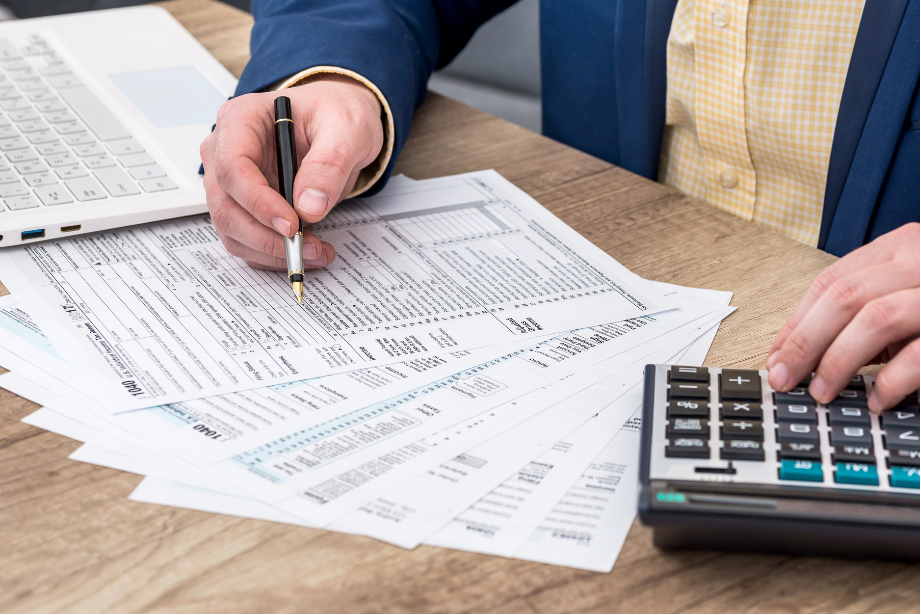
Local, state, and federal agencies rely on MaxPrint for tax notices, voter guides, and important public information.

Direct mail marketers depend on MaxPrint to process lists, customize marketing pieces, and ensure all documents match campaign design—no matter the volume, timeline, or variables included.
Anchor Software has spent over 25 years perfecting solutions for document and mailing automation. Our expertise is trusted by Fortune 500 companies, utilities, banks, and agencies coast to coast. We know what’s at stake with every print job, and we build our software to deliver on our promises:
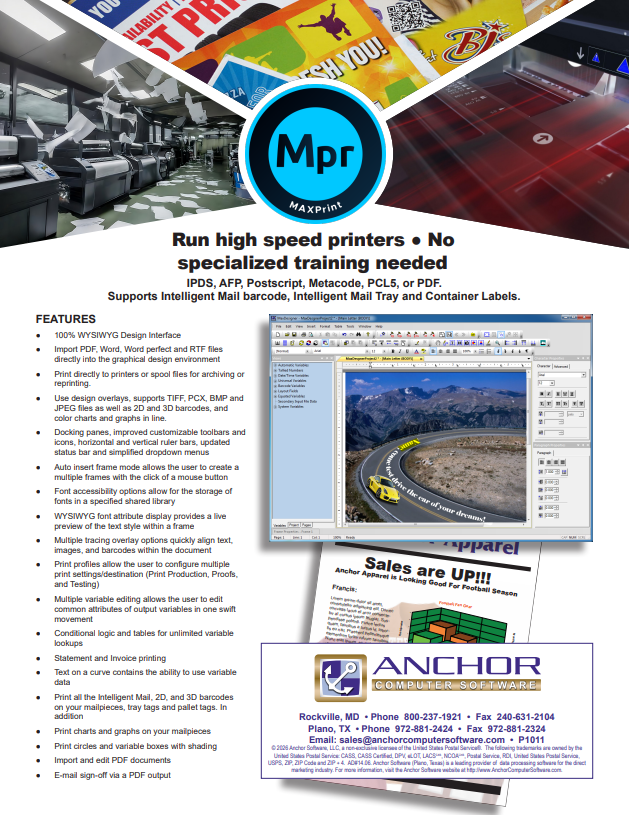
Yes, MaxPrint excels in variable data printing with versatile capabilities. It supports printing in any rotation and includes Intelligent Mail barcodes, 1D/2D barcodes, charts, TIFF, PCX, BMP, JPEG images. MaxPrint efficiently produces custom statements and invoices, supports printing on demand, and enables mass email distribution of documents.
MaxPrint is tailored to meet the specific needs of legal document preparers by ensuring document accuracy, compliance with legal formatting standards, and efficient document management. It simplifies complex legal document workflows, saving time and reducing errors.
By removing manual errors, reducing spoilage, and automating batch processes, MaxPrint dramatically cuts wasted prints and labor costs. USPS-compliant output further unlocks bulk mailing discounts.
No. MaxPrint’s setup process is guided and supported by Anchor Software experts. Training is fast, and staff can operate the system with minimal technical skills.
Yes. MaxPrint automates document formatting and barcoding to USPS standards and creates audit trails for regulated industries such as banking and government.
All industries with large or complex print workflows—utilities, banks, financial services, government, direct mail marketing, higher education, and more.
Every print batch is documented. MaxPrint paired with Product Monitor can provide reports detailing what was printed, when, and for whom—a solid foundation for compliance and dispute resolution.
MaxPrint helps teams design, personalize, and prepare transactional documents for high-volume printing.
Create letters, statements, and invoices with variable text, graphics, and customer information
Prepare and review document layouts through an intuitive interface.
Support IPDS, AFP, PostScript, Metacode, PCL5, and Windows printer drivers.
Include Intelligent Mail barcodes, 1D and 2D barcodes, charts, and images.
Connect document preparation with Anchor mailing tools, including MaxPresort OS.
Explore MaxPrint for your document design and variable data printing needs. Download the product sheet to learn more and share it with your print operations team.