Most mailing teams don’t wake up thinking about automation.
They wake up thinking about deadlines.
Will the billing file be ready in time? Did last night’s job finish? Who’s supposed to launch the statement run? Why did two pieces go to the same address? Is the postage report correct?
Automation doesn’t remove those questions. It just makes fewer of them necessary.
Event-driven job automation watches for triggers—file arrivals, database changes, scheduled times, API signals—and automatically launches the right routines. It monitors progress, retries failed steps, and sends alerts when something needs attention.
The Real Cost of Manual Workflows
Manual workflows work fine at small volume. They break at scale.
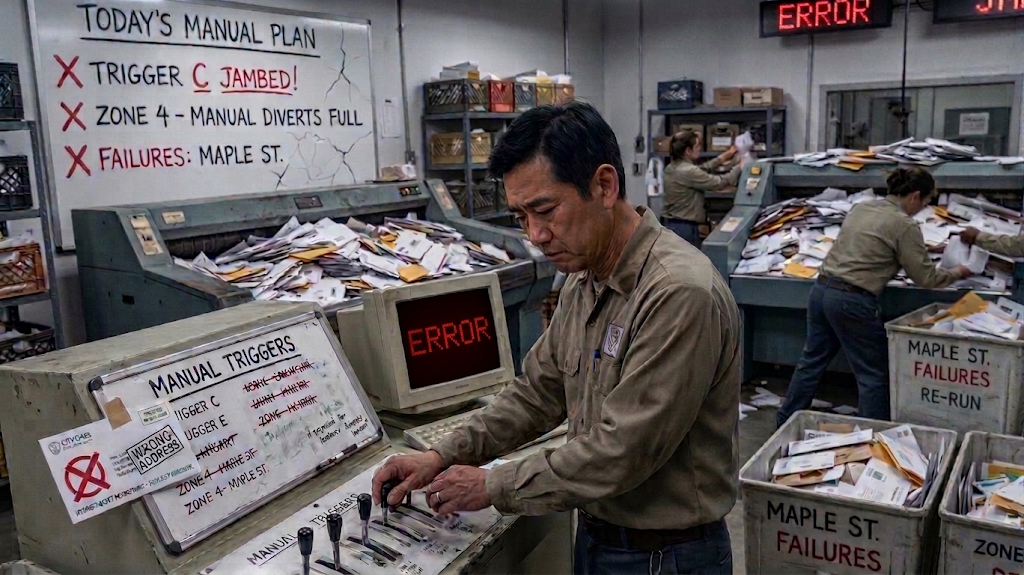
That is the hidden problem. Manual processes drain time, increase errors, and make good teams look unreliable on paper. Bad workflows aren’t just annoying—they’re expensive.
- Wasted labor is the most visible cost. Staff spend hours launching jobs, watching progress, fixing failed runs, and re-running reports that should have completed automatically.
- Missed deadlines are just as damaging. A job that doesn’t start on time can delay printing, presort, and mailing—pushing delivery windows and frustrating customers.
- Operational risk also increases. When jobs depend on people remembering to start them, failures are more likely and harder to trace.
- Campaign failure is another quiet cost. If data doesn’t flow on time, mailings go out late or with stale information. Response rates drop, and leaders blame the campaign when the real problem was the workflow.
How Manual Workflows Become Bottlenecks
Workflow bottlenecks happen when growth outpaces process.
At low volume, a person can launch every job, check every log, and fix every error. At higher volume, that model collapses.
Without automation, common failure points include:
- Files that arrive but aren’t processed until someone notices.
- Jobs that fail overnight and aren’t discovered until morning.
- Reports that depend on a specific person being available.
- Data that must be manually moved between systems, creating delay and error risk.
Each of these slows the operation and increases the chance that something important gets missed.
The Domino Effect of Manual Execution
Manual workflows don’t just waste one task. They create a chain reaction:
- A file arrives, but no one launches the job immediately.
- The downstream print or presort step is delayed.
- Mailing deadlines move closer, increasing pressure on staff.
- Errors are discovered late, requiring rework or re-mailing.
- Future jobs inherit the same manual dependencies.
Each step adds cost without adding value.
Where the Money Actually Goes
The financial impact shows up in several places:
- Wasted staff time – Hours spent launching, monitoring, and fixing routine jobs that could run automatically.
- Missed postage discounts – Late or inconsistent job execution can cause mailings to miss optimal presort windows or qualification thresholds.
- Rework and re-mailing – Failed jobs or late data can force reprints, re-sorting, and additional postage.
- Lost revenue – Delayed billing, renewal, or marketing mail can affect payment timing, renewals, and campaign performance.
For a team spending 10 hours per week on manual job launches and monitoring, that’s 520 hours per year—time you could redirect to exception handling, quality control, and process improvement.
Why “We’ve Always Done It This Way” Isn’t
Some teams assume manual workflows are “good enough.” That assumption is expensive.
Manual processes don’t fail immediately. They fail when volume increases, deadlines tighten, or key staff are unavailable.
A workflow that feels manageable at 5,000 pieces becomes a bottleneck at 50,000. At 500,000, it becomes a disaster waiting to happen.
The Hidden Operational Drag
Beyond dollars, manual workflows slow everything down.
- Files take longer to process because someone has to notice and act.
- Campaign timelines stretch when jobs are launched late or inconsistently.
- Staff spend time babysitting routine work instead of handling exceptions.
- Reporting becomes less reliable when job execution depends on human memory.
That drag is harder to measure than postage, but it’s real.
How to Reduce the Cost of Manual Workflows

Workflow automation is not a one-time project. It’s an ongoing practice.
Effective programs typically include:
- Event-driven triggers – Launching jobs when files arrive, database changes occur, or scheduled times are reached.
- Automated monitoring and alerts – Tracking job status and sending notifications when jobs start, complete, or fail.
- Error handling and retry logic – Automatically retrying failed jobs or escalating to staff when intervention is needed.
- Centralized job management – Providing a single view of all jobs across servers and systems for easier oversight.
- Ongoing refinement – Revisiting job definitions and triggers as workflows evolve and new systems are added.
This is where PilotPro job automation software fits in: it turns manual, trigger-dependent routines into defined, monitored, and repeatable workflows.
The ROI of Disciplined Workflow Automation
Organizations that invest in automation see measurable improvements.
Instead of relying on people to remember every step, automated workflows:
- Start jobs when conditions are met, not when someone remembers.
- Monitor progress and log results automatically.
- Retry failed steps or alert operators when needed.
- Free staff to focus on exceptions, quality, and process design.
For a mid-sized operation spending $50,000 annually on labor for manual job execution, automating even half of that work can save $25,000 per year—before considering reduced errors, faster turnaround, and improved reliability.
Final Thought
The goal of automation isn’t to remove people from the workflow. It’s to remove the parts of the workflow that don’t need people.
When routine jobs run automatically, staff can focus on work that requires judgment—handling exceptions, improving processes, and ensuring every mailing supports the broader business objective.
That’s the real shift. From manual execution to managed automation. From “Did someone run that job?” to “The job ran, and here’s the report.”
And in a mailing operation where timing, accuracy, and reliability matter, that shift is what separates a team that reacts to problems from a team that prevents them.